Context
Hyper Class transports adult English learners into immersive virtual environments and collaborative live experiences to simulate real-life communication and build confidence with the use of language.
Designing a digital classroom that balances tool visibility and a clear teaching area on a single screen, without scrolling, is a challenge. It requires thoughtful prioritisation and organisation within limited space.
Teachers need a platform that simplifies content flow, interaction control, and student engagement. This also reduces training effort for the operational team.
Solution
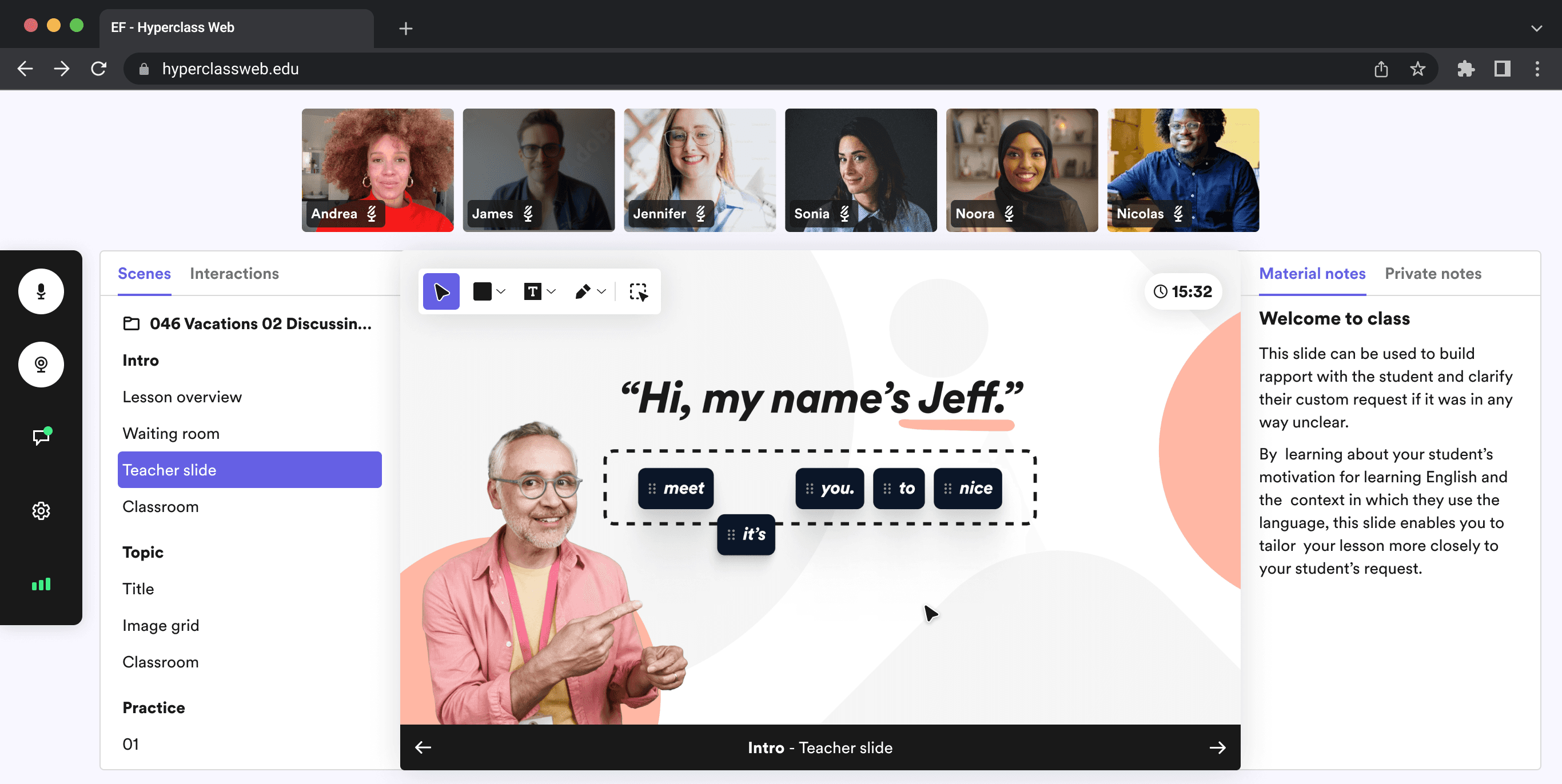
During the design process, it became clear the Classroom view had to include a 3 key elements:
Focus on the content and content control
A horizontal Video pods
Easy navigation
This approach ensures teachers can deliver structured, engaging lessons with minimal distractions.
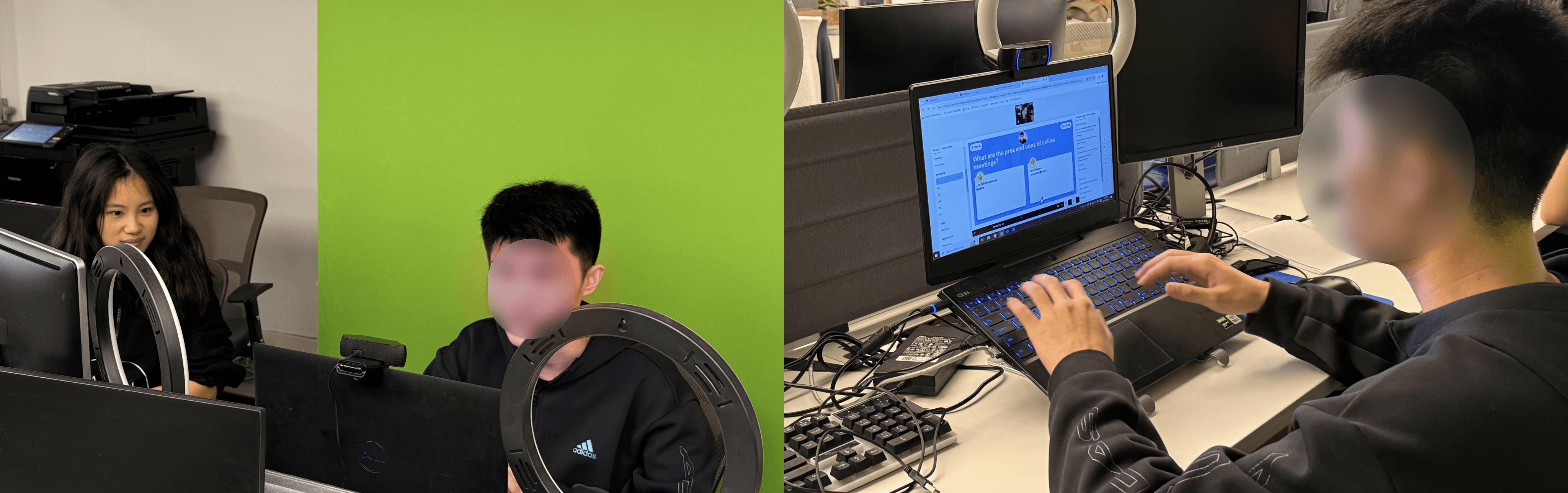
A few rounds of usability testing conducted to understand teachers’ behaviour.
Final design:
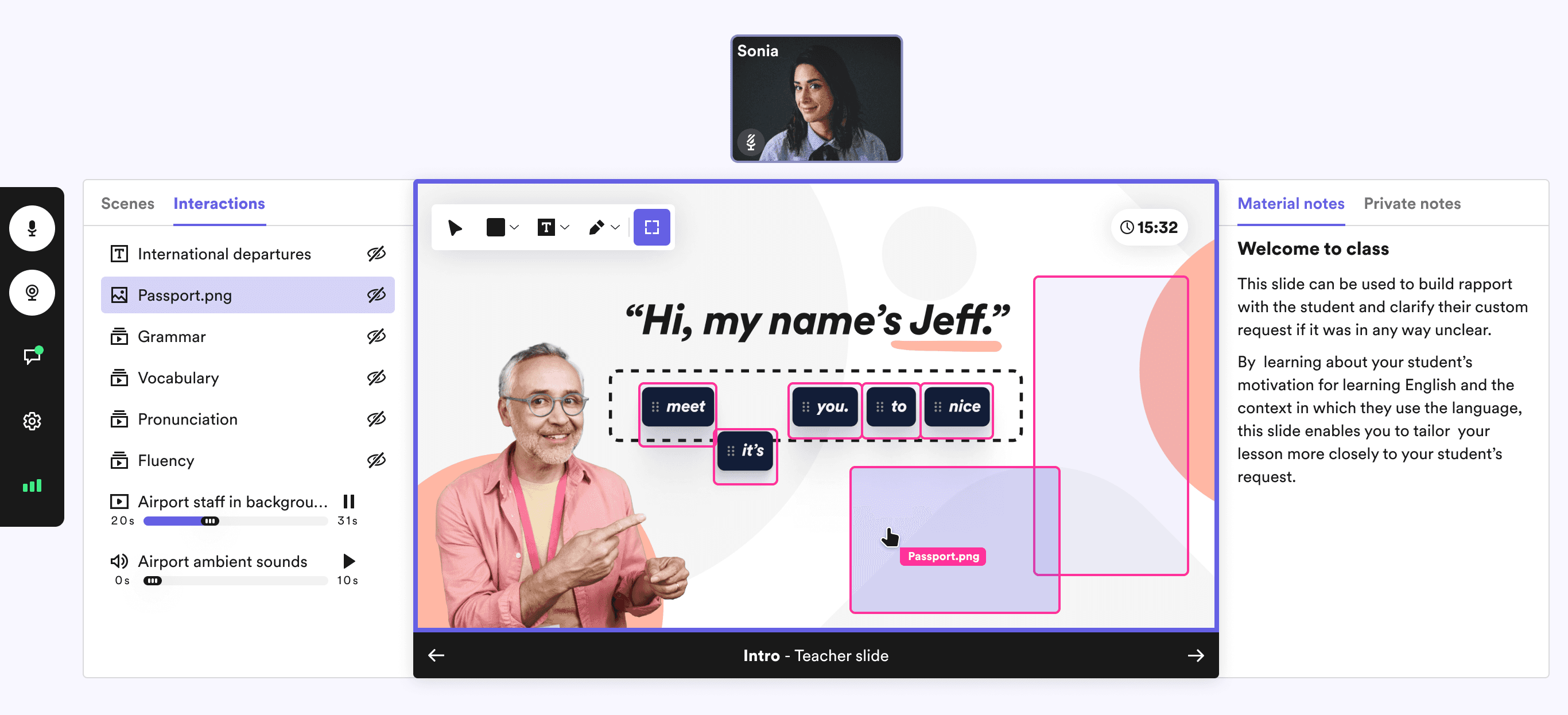
How to use hotkey and white board.
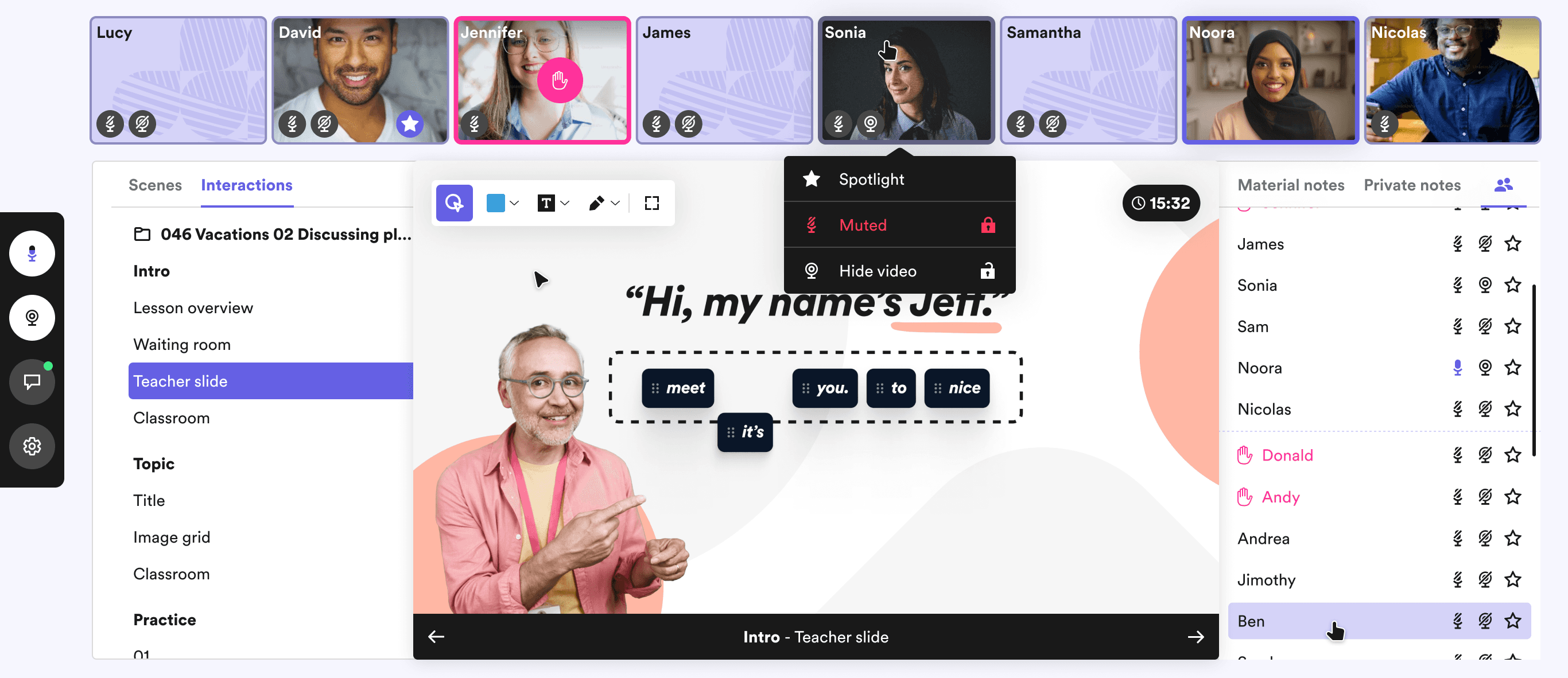
Lecture hall function
Other exploration
Initial design iterations emphasised a layout where all controls were visible. After reviewing various screen resolutions, the minimum screen size was set to 1280x720. Scene previews are positioned on the left, allowing seamless lesson navigation, while interaction controls at the bottom keep resources accessible without cluttering the main content.
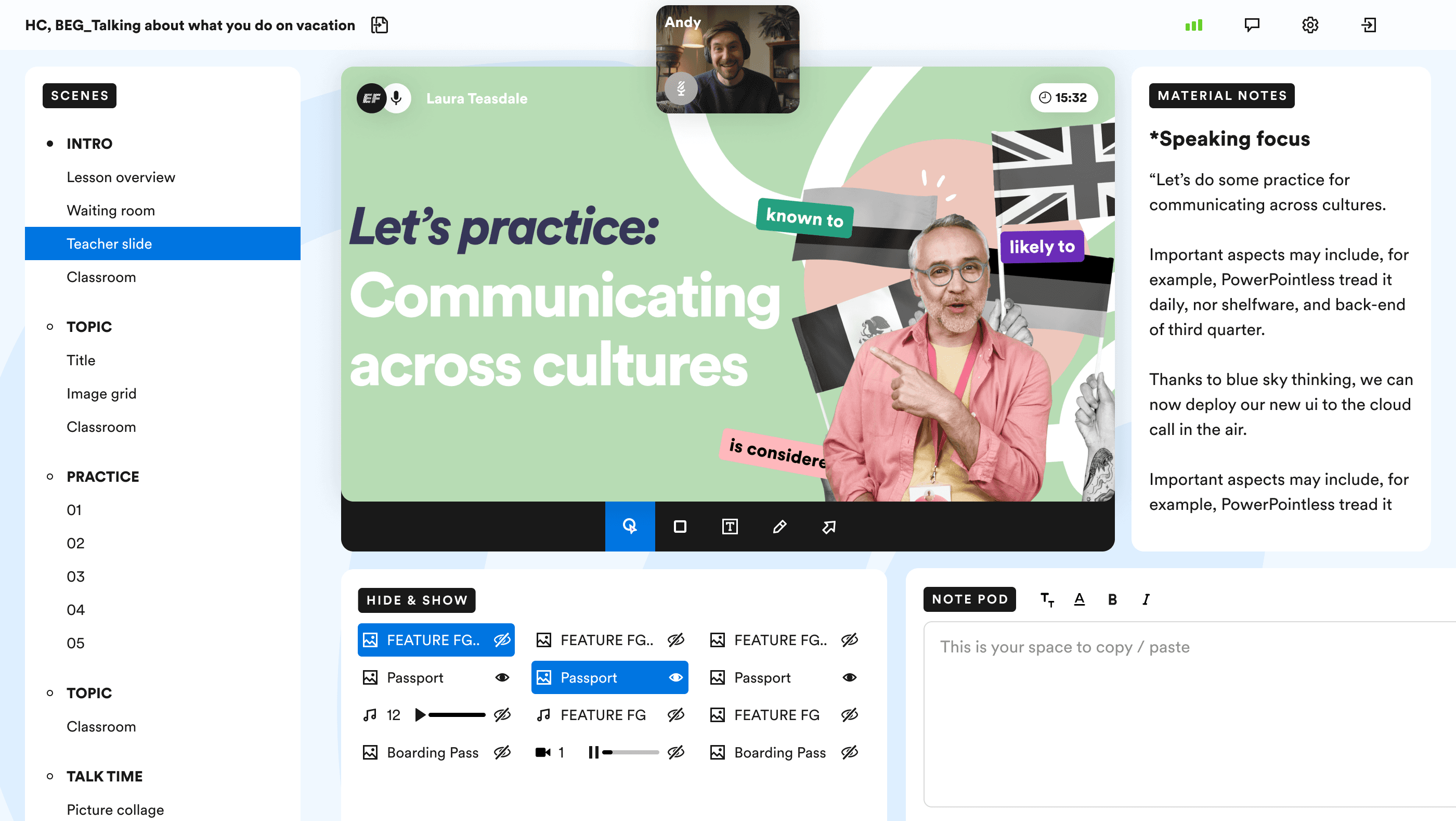
Initial design with floating video pods
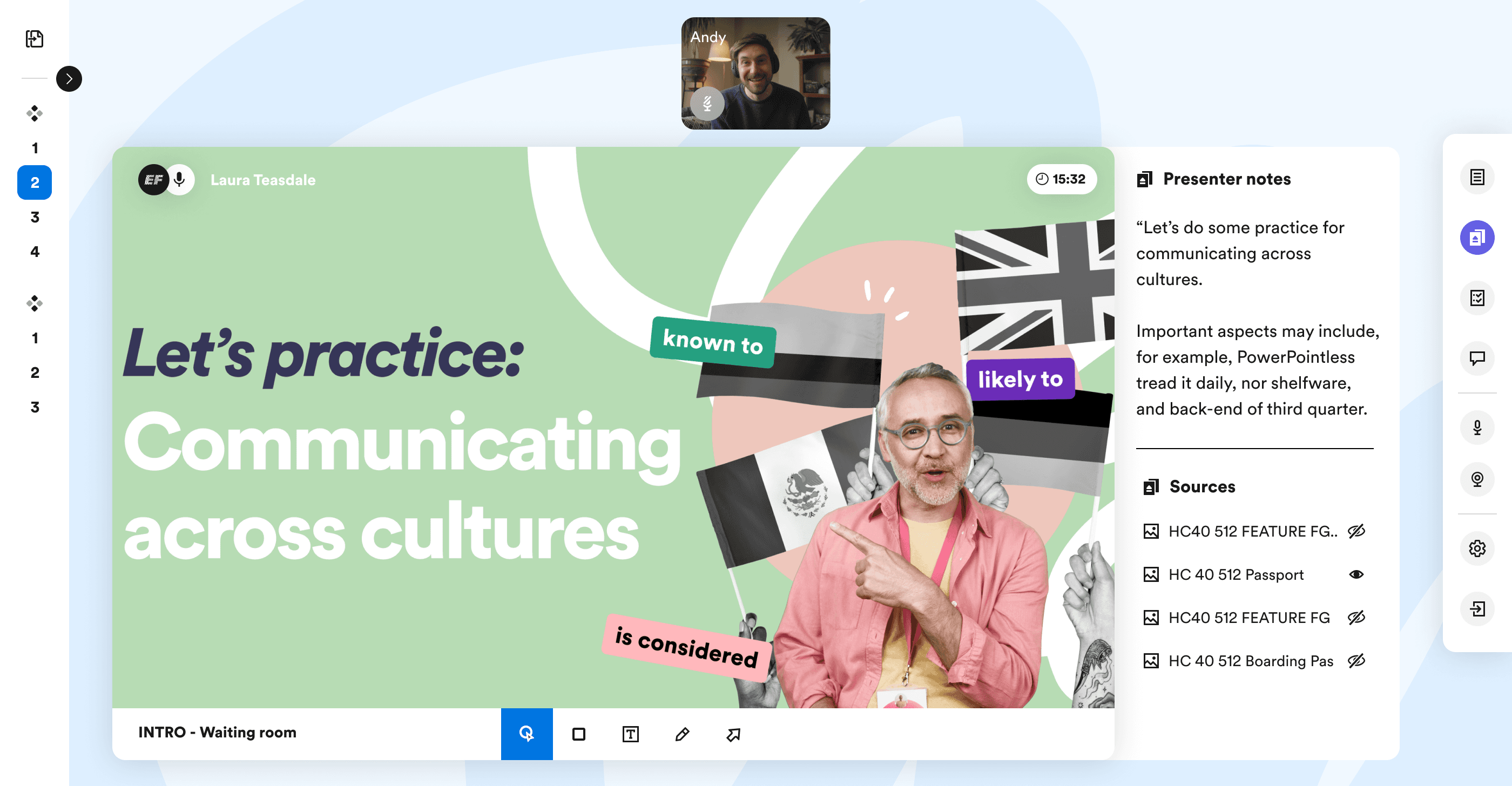
Expandable preview feature
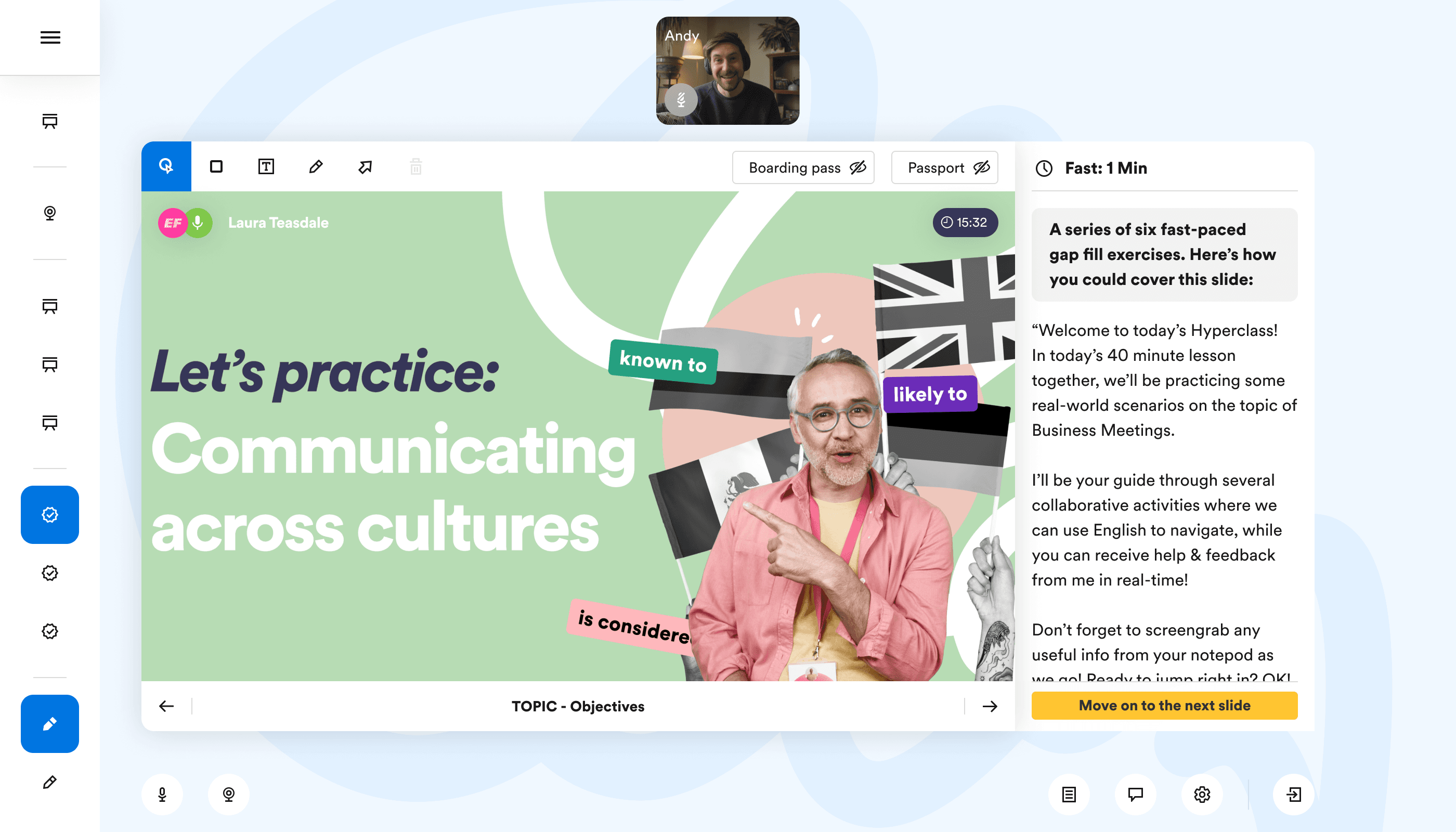
Countdown timer for slide completion
Context
Hyper Class transports adult English learners into immersive virtual environments and collaborative live experiences to simulate real-life communication and build confidence with the use of language.
Designing a digital classroom that balances tool visibility and a clear teaching area on a single screen, without scrolling, is a challenge. It requires thoughtful prioritisation and organisation within limited space.
Teachers need a platform that simplifies content flow, interaction control, and student engagement. This also reduces training effort for the operational team.
Solution
During the design process, it became clear the Classroom view had to include a 3 key elements:
Focus on the content and content control
A horizontal Video pods
Easy navigation
This approach ensures teachers can deliver structured, engaging lessons with minimal distractions.
A few rounds of usability testing conducted to understand teachers’ behaviour.
Final design:
How to use hotkey and white board.
Lecture hall function
Other exploration
Initial design iterations emphasised a layout where all controls were visible. After reviewing various screen resolutions, the minimum screen size was set to 1280x720. Scene previews are positioned on the left, allowing seamless lesson navigation, while interaction controls at the bottom keep resources accessible without cluttering the main content.
Initial design with floating video pods
Expandable preview feature
Countdown timer for slide completion
Online classroom design
2022 - 2024
Huan Feng
©2026
huanfengme@gmail.com
Huan Feng
©2026
huanfengme@gmail.com
Huan Feng
©2026
huanfengme@gmail.com
Huan Feng
©2026
huanfengme@gmail.com